One Dashboard. Total Control.
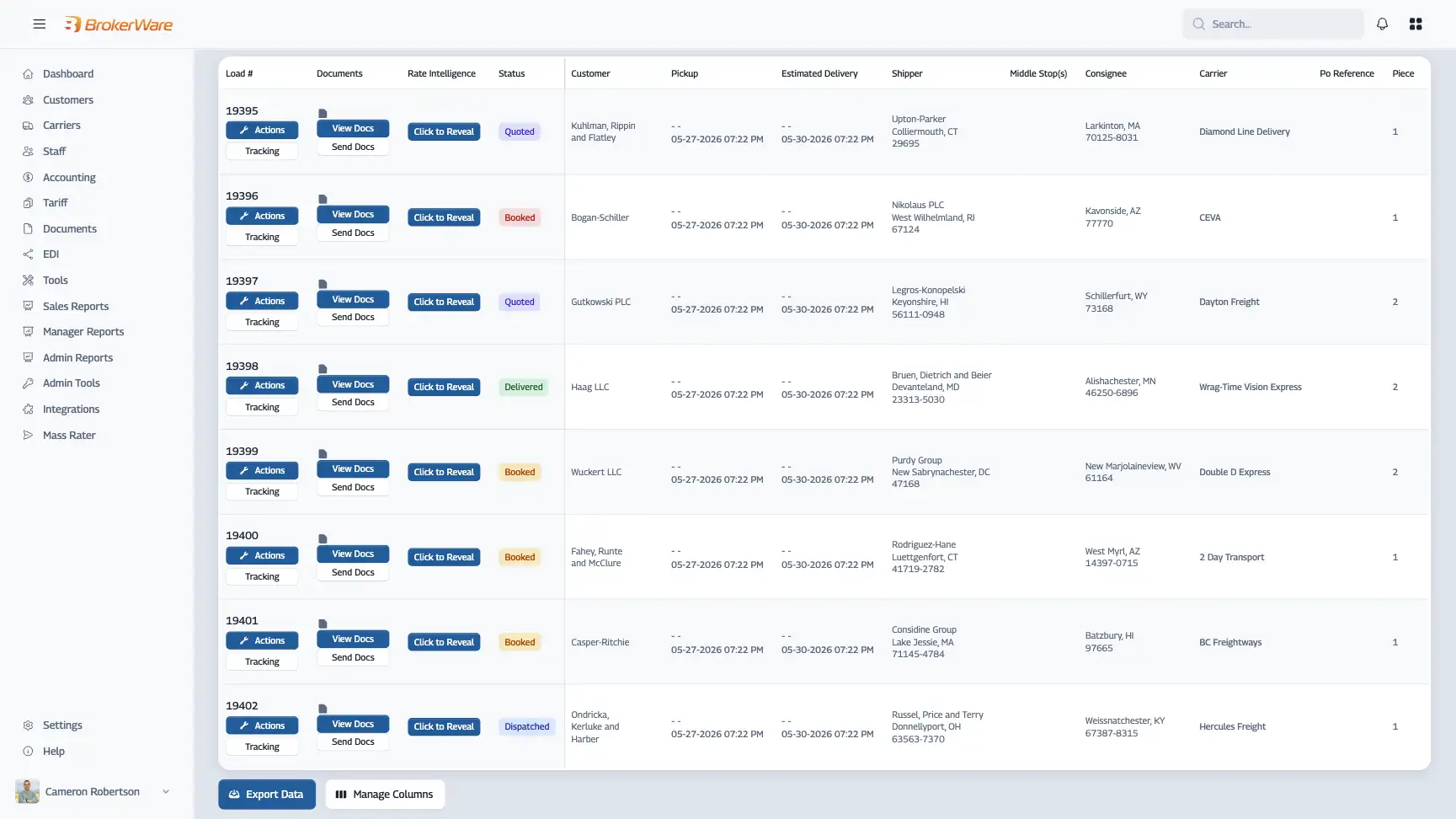
VelocityView combines your most critical TMS pages and tools into a single, fully customizable workspace. See the data you need, filtered the way you want it, the moment you need it, without jumping between pages or rebuilding context every time you sit down.
Built natively into your TMS. No extra setup. No extra logins.
Your Workflow Shouldn't Be Defined by Someone Else's Dashboard
Every team has a rhythm. A morning routine, a post-lunch check, an end-of-day wrap. But if your TMS forces you into a fixed layout with fixed views, you're spending time navigating a system instead of running a business.
"I have to check four different pages just to start my morning."
Your data is all there. It just isn't organized around how you actually work.
"Our team's priorities don't match the default view."
Prebuilt dashboards are built for everyone, which means they're optimized for no one.
"I keep losing time just getting back to where I was."
Every page switch, every filter reset, every manual lookup adds up. That's not inefficiency. That's a tool that wasn't designed around you.
VelocityView puts you in control of your workspace so your TMS fits the way you operate, not the other way around.
VelocityView is a fully customizable workspace built natively into BrokerWare TMS.
Combine dashboards, load creation, quoting, rating, tracking, and more onto a single screen. Set your views once, save them, and come back to exactly what you need, every time.
Build Views Around Your Day
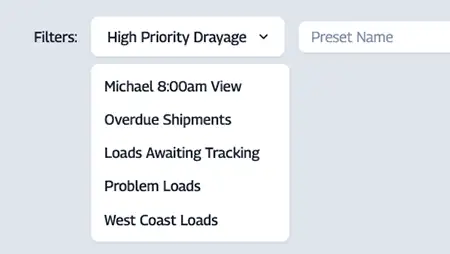
Design your workspace to match how you actually work.
- Morning check? Build it.
- Post-lunch pickup review? Build that too.
- Save each view and pull it up in seconds.
Everything in One Place
Dashboards, load creation, spot quoting, contract rating, tracking. No more bouncing between pages to get a complete picture.
Make It Yours to Configure
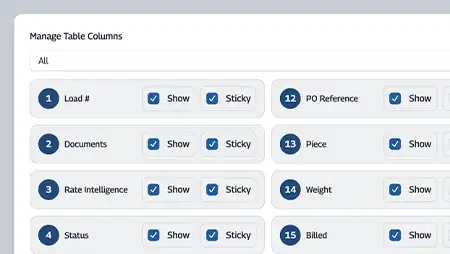
VelocityView doesn't tell you what data matters. You decide what shows, which filters apply, and how it's organized. The system adapts to you.
VelocityView is a native feature of BrokerWare TMS. No installation, no configuration or API keys, no waiting.
If you're already a customer, it's already available to you.
Build Your Views
Select the tools, data sets, and filters that match how you work. Arrange them the way you want and save each view by name.
Work Your Way
Open your saved views whenever you need them. Your workspace is ready, your filters are set, and your data is right where you left it.
Stop Navigating, Start Working.
See how VelocityView gives your team a faster, more focused way to work inside your TMS. Build the workspace your day actually calls for and stop losing time to a system that wasn't designed around you. Speak with a specialist to see it in action.